Choosing Your Account After Signing In
When you sign in to the Regal Rexnord storefront, you may be associated with more than one account or shipping address. The Account Selector lets you pick which account you want to shop and manage orders under — so that pricing, order history, and shipping details all reflect the right context from the start.
:::info Behind the scenes This walkthrough was captured against the UAT site. See the test instructions it was driven from, and the test results recorded during the run. :::
Before you begin: You've just signed in and the Select Shipping Address screen has appeared automatically. Have your account name or number handy if you're not sure which one to choose.
Step 1 — Review the accounts listed
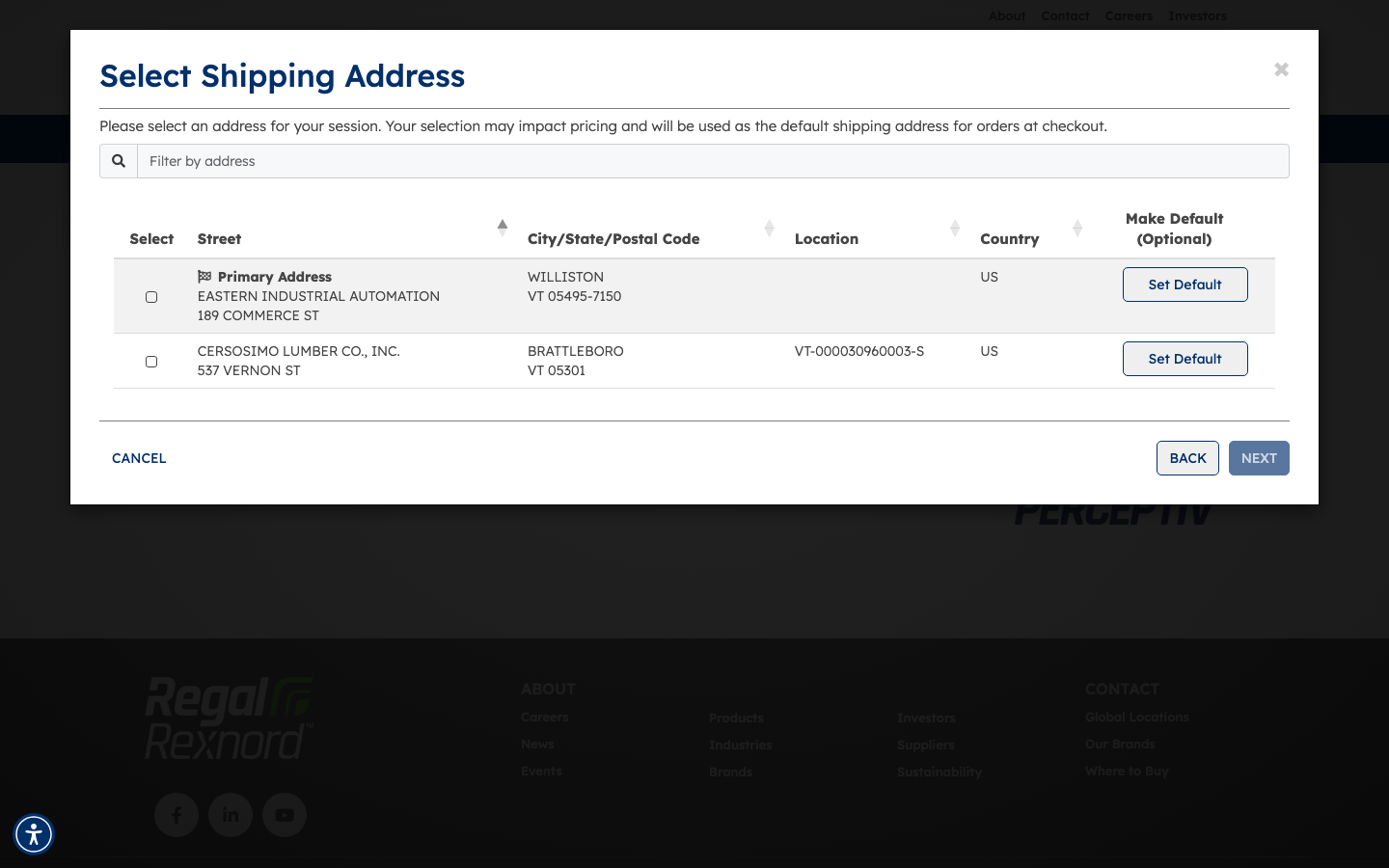
After signing in, the Select Shipping Address panel appears. It lists each account available to you, showing the account name and address details for each option.
Take a moment to find the account you want to work under during this session.
Step 2 — Select your account
Click the row for the account you want to use. In this example, we're selecting the Primary Address option. The selected row highlights in green, confirming your choice, and the NEXT button becomes active.
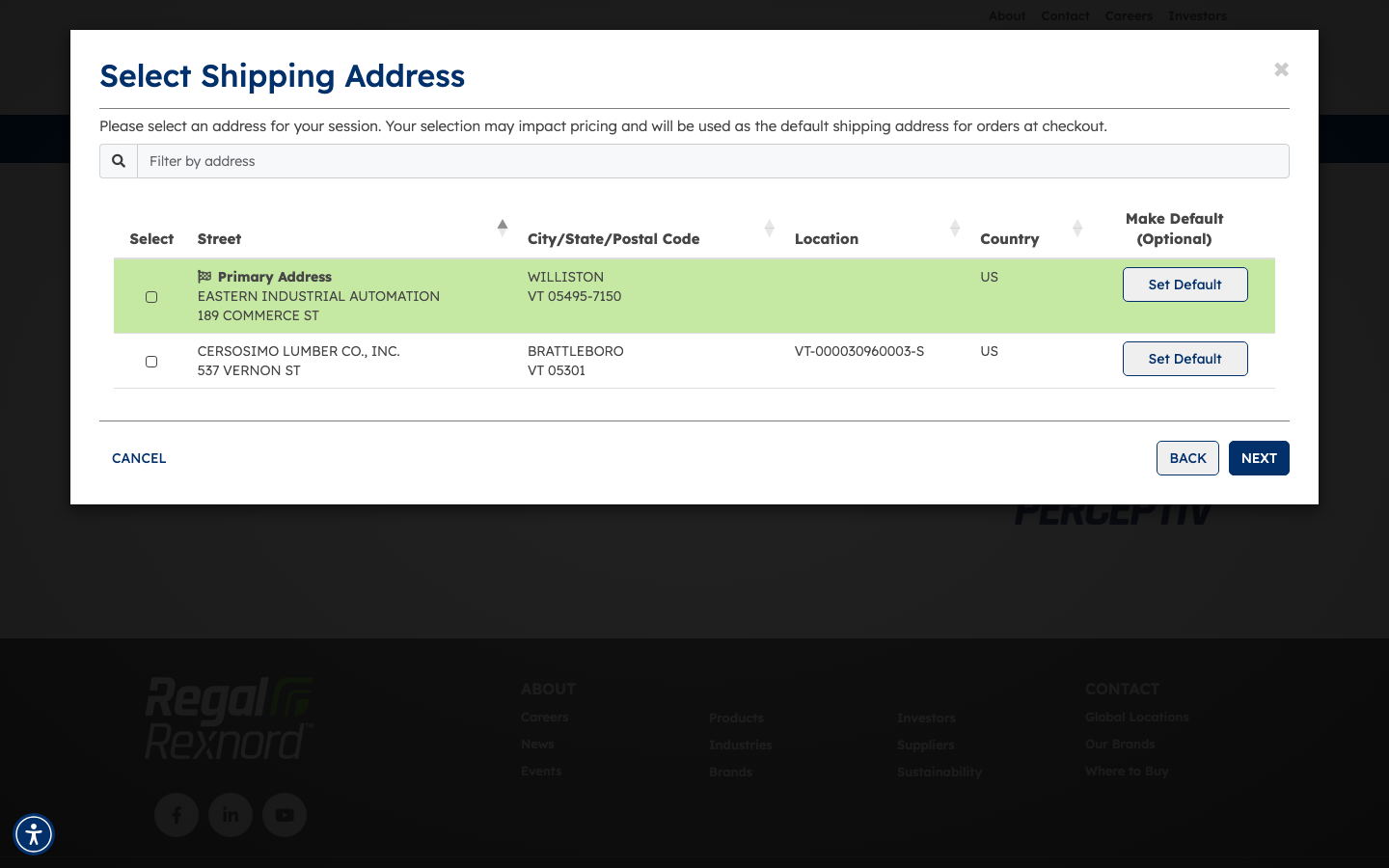
Step 3 — Confirm your selection
Click NEXT to confirm. The site will take you to your account dashboard, where all activity — orders, quotes, pricing — will be tied to the account you selected.
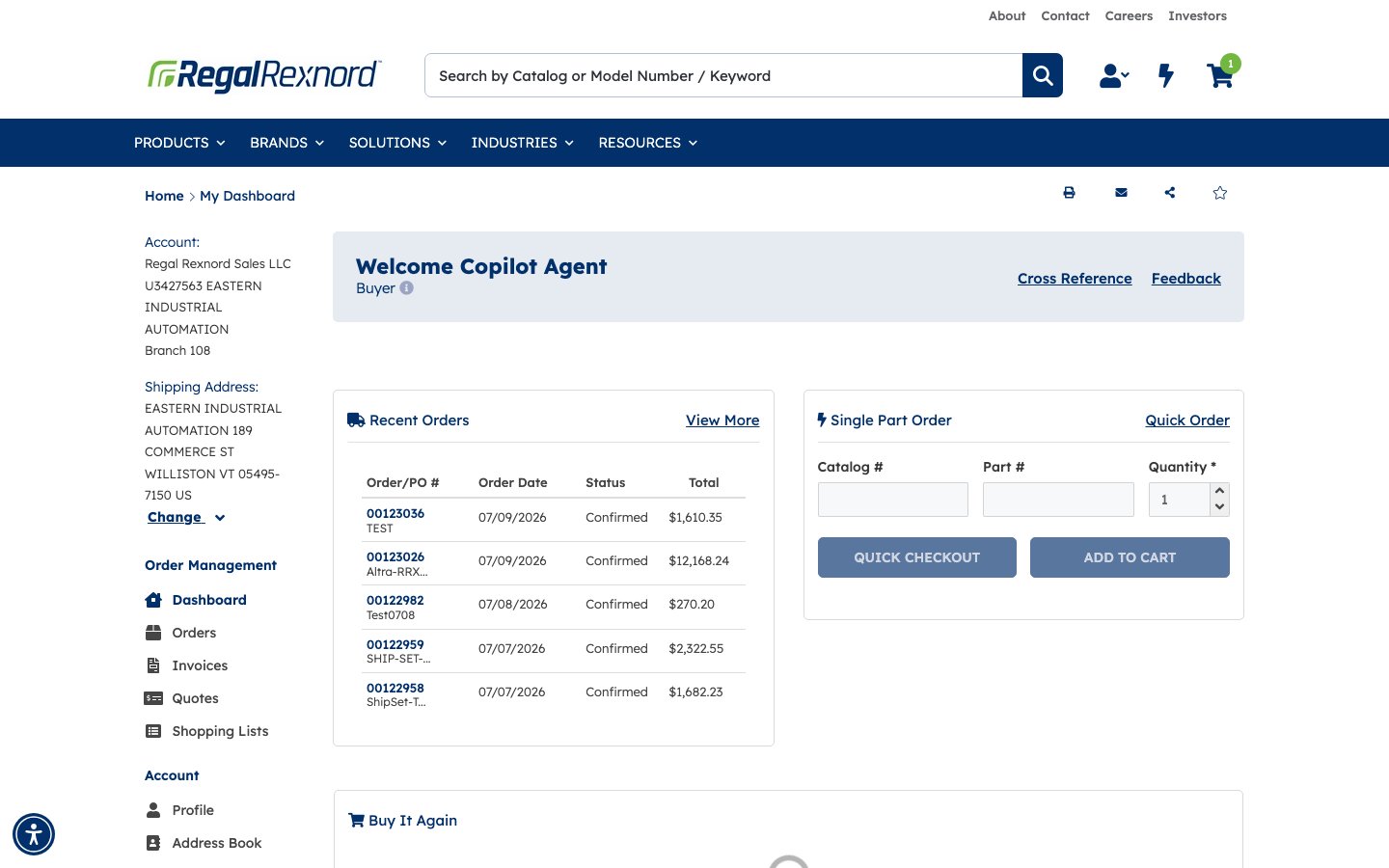
Step 4 — Check your account context
On the dashboard, look at the left panel to confirm it shows the correct account and shipping address. For example, a Primary Address selection would appear as the account name and address (such as EASTERN INDUSTRIAL AUTOMATION, 189 COMMERCE ST, WILLISTON VT 05495-7150 US).
If it doesn't look right, you can switch accounts by signing out and signing back in, which will present the selector again.
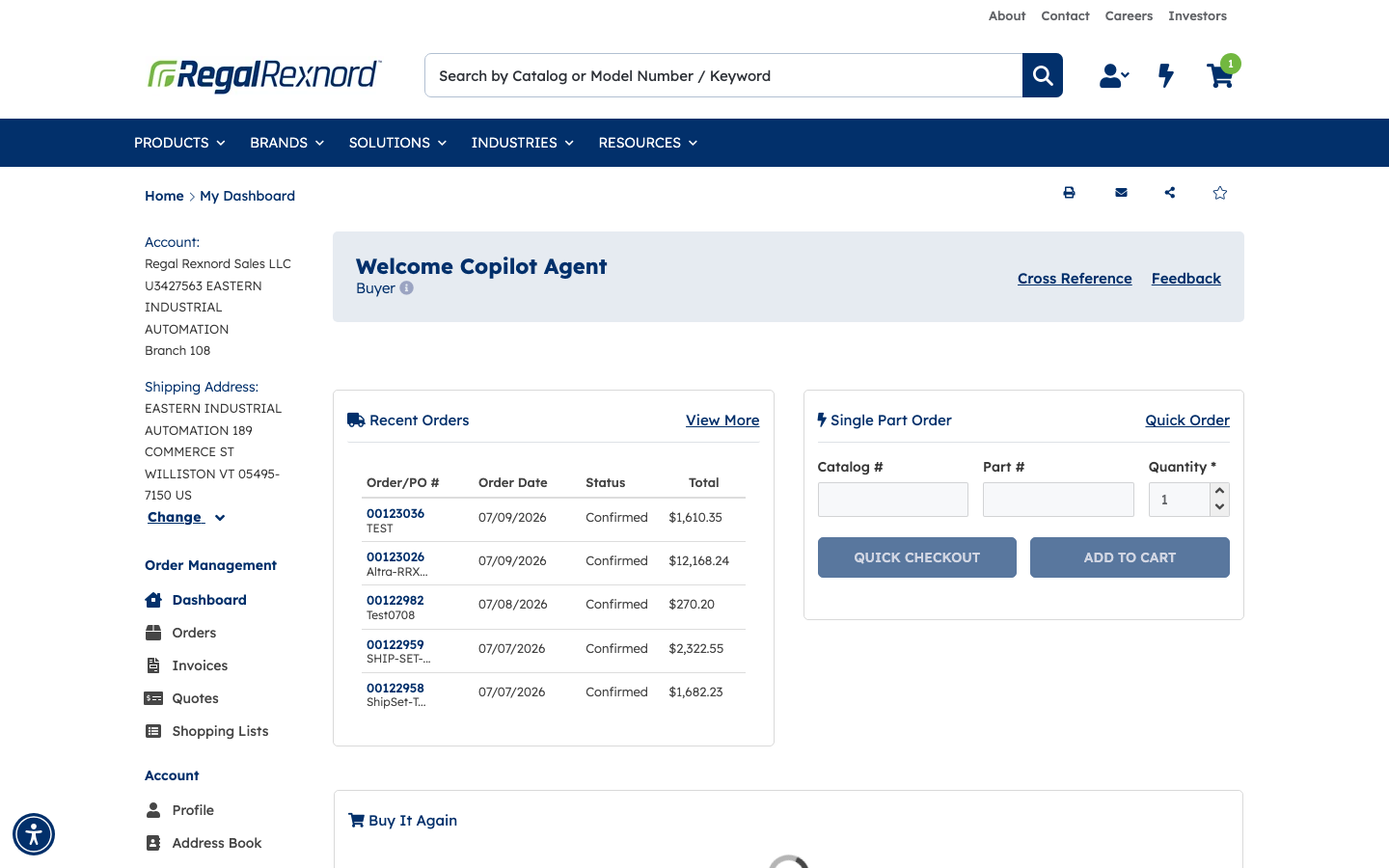
That's it. You're now working under your selected account. Any orders you place, quotes you request, or pricing you see will reflect that account's settings for the rest of your session.